
3-Minute Timeframe
Designed and supported for 3-minute TradingView charts with volume data.
ET Algo is a technical-analysis indicator designed for 3-minute and 5-minute TradingView charts where volume data is available. It displays qualifying bullish and bearish entry conditions directly on the chart.
EternalTrading.app is informational only. ET Algo access and account management are handled through TradingView.
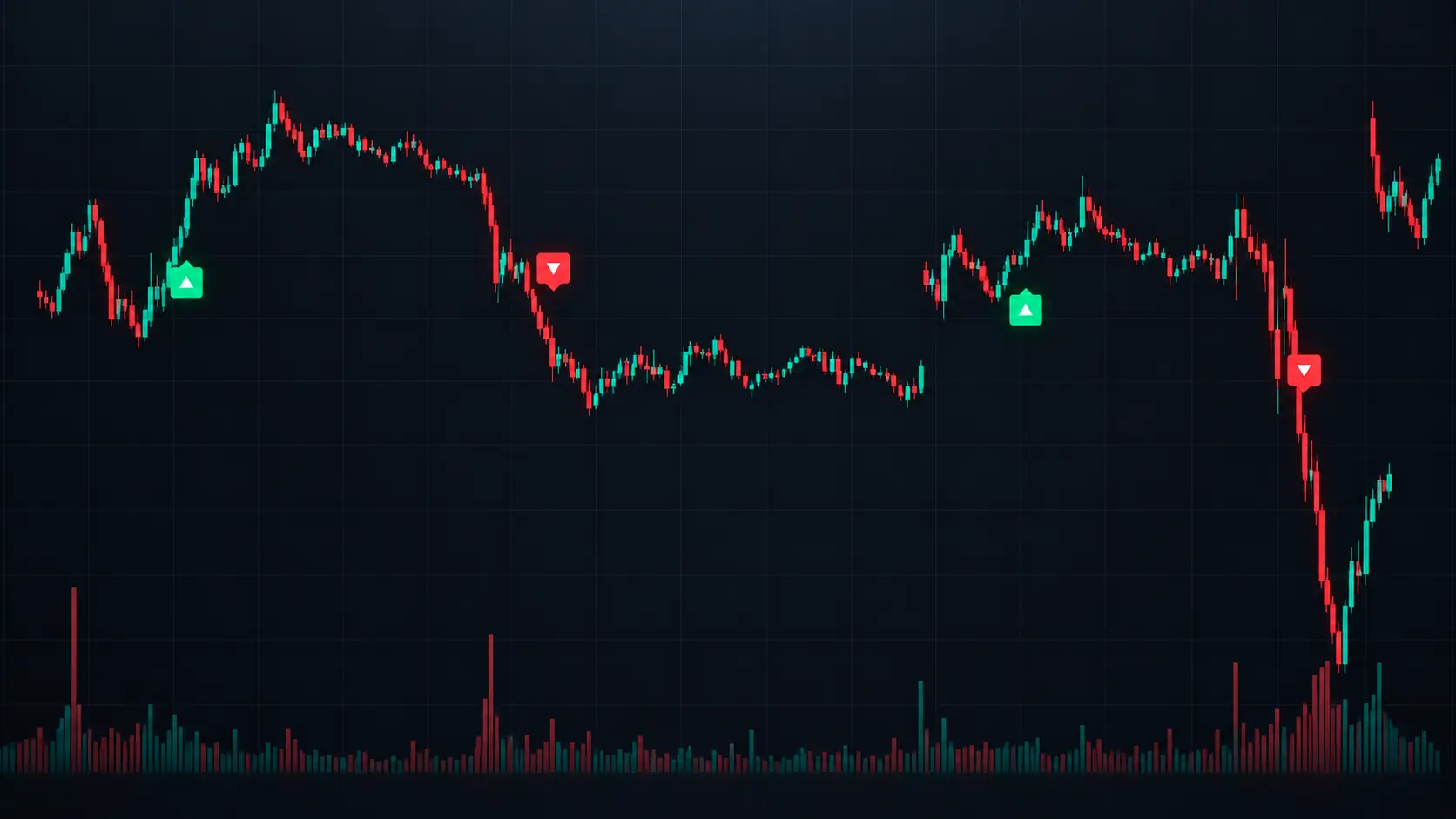
ET Algo in action
Example chart with qualifying bullish and bearish entry arrows.
Designed and supported for 3-minute TradingView charts with volume data.
Designed and supported for 5-minute TradingView charts with volume data.
Green and red arrows mark qualifying bullish and bearish entry conditions.
Optional visuals can help keep trend, VWAP, and structure context on the same chart.
The Indicator
ET Algo applies the same programmed technical methodology to supported chart data and highlights qualifying conditions without taking control of your trading decisions.
Supported Timeframes
3-minute and 5-minute charts only.
Required Data
The chart must provide volume data.
Signal Direction
Bullish and bearish qualifying entry conditions.
Execution
ET Algo does not place or manage trades.
Supported Configuration
Signal frequency and behavior can vary by symbol and market conditions. A qualifying signal is chart-analysis information, not a guarantee of a profitable trade.
See It on the Chart
Watch the indicator on each supported timeframe using the same chart-focused workflow.
See ET Algo displayed on a supported 3-minute TradingView chart.
See ET Algo displayed on a supported 5-minute TradingView chart.
How It Works
The website is now focused on product information and education. There is no Eternal Trading customer account or checkout flow.
Use Eternal Trading to learn about ET Algo, then continue to the official TradingView script page.
ET Algo access, account requirements, and any applicable purchasing flow are handled through TradingView.
Once your TradingView account has access, add ET Algo from your TradingView indicators.
Run ET Algo on a 3-minute or 5-minute chart with volume data available.
Official TradingView Page
EternalTrading.app does not create customer accounts or process ET Algo subscriptions. Continue to TradingView for the official script page and current access information.
FAQ
The product stays simple: learn here, access through TradingView, and use the indicator on its supported chart configuration.
No. EternalTrading.app is an informational and marketing website. ET Algo access is handled through TradingView.
ET Algo is supported on 3-minute and 5-minute TradingView charts where volume data is available. Other timeframes are not supported.
No. ET Algo is a charting and technical-analysis tool. It does not connect to your brokerage account, place orders, manage positions, or trade automatically.
ET Algo can be applied to supported charts that provide the required volume data, but signal behavior and frequency can vary by security, instrument, and market conditions.
Use the View ET Algo on TradingView button on this site. TradingView is the destination for the script page and current access information.
Risk Disclosure
Trading involves substantial risk. ET Algo provides general, impersonal chart-analysis information and does not guarantee profits, prevent losses, or provide individualized investment advice. Historical or example chart behavior does not guarantee future results.